
Quick Summary
Gate keypad failures often stem from degraded low-voltage wiring, depleted batteries, or harsh weather exposure that unexpectedly block driveway access. Ironworks Gate Co. provides professional diagnostics across Cleburne and Johnson County, systematically testing power delivery, circuit continuity, and weather seals to resolve access control faults without unnecessary hardware replacements. Readers will understand how to evaluate common keypad malfunctions and can contact Ironworks Gate Co. to schedule a free on-site assessment or same-day repair service.
Gate Keypad Repair: Diagnose Driveway Access Problems
When an entry code stops opening a gate, professional diagnosis helps keep property secure and driveways accessible. Whether dealing with damaged low-voltage wiring, depleted backup batteries, or a controller communication error, an unresponsive keypad can prevent access. Diagnosing the issue accurately prevents replacing functional hardware when a simple wire repair, setting adjustment, or contact cleaning may address the problem.[3]
Troubleshooting automated access systems requires appropriate diagnostic tools and a systematic approach, as technicians at Ironworks Gate Co. recommend. Field technicians handle tasks ranging from inspecting conduit lines to programming access units according to individual manufacturer specifications.[5]
Gate Keypad Repair: Diagnostic Overview
To diagnose why an electric gate keypad is not working, check the incoming power supply, inspect physical wire runs, check for button feedback, and consult model documentation before changing software settings. Depending on the installation, malfunctions may stem from power delivery loss, depleted batteries in wireless units, physical wire breaks, water intrusion, or relay contact issues.
Immediate Action Checklist for Inaccessible Gates
- Check Power Delivery: Use a multimeter to verify that the power supply meets the specific manufacturer requirements for the keypad and gate operator.
- Inspect Terminals and Conduit: Look for loose terminal connections, corroded leads, or low-voltage wire tension caused by shifting ground around post footings.
- Check Physical Inputs: Listen for relay clicks and observe whether backlights illuminate when keys are pressed, depending on the model.
- Review Manuals Before Resetting: Follow the exact manufacturer procedure. Depending on the model, resetting may require a master code, specific keys, or a reset button, and can erase stored PINs or disconnect the keypad from the operator.
Electronic keypad entry systems may use PIN codes to activate electric or magnetic locks, may record successful and unsuccessful attempts, and can use unique user codes and duress functions. Supported findings indicate that keypad systems are vulnerable to mechanical malfunction and vandalism, while environmental wear and weather exposure represent general troubleshooting considerations.[1]
What You Need for Driveway Gate Keypad Troubleshooting
Before opening electrical enclosures, disconnect primary power sources feeding the gate operator. Testing low-voltage systems typically requires a digital multimeter, an insulated precision screwdriver set, electrical contact cleaner, sealant, and the specific manufacturer programming manual.
Safety and Equipment Precautions
Warning: Electrical and automated-gate work can involve hazardous mains voltage, moving equipment, and safety systems. Always disconnect primary power sources before opening enclosures or servicing wiring, and consult a qualified technician or service provider for tasks beyond basic visual checks.
Step 1: Test Power Supply and Batteries
Testing incoming power first prevents the expense of replacing an operational keypad, according to Ironworks Gate Co. Measure the voltage across the power input terminals with a multimeter. Keypad units are designed for model-specific operational voltage thresholds defined in the manufacturer manual; receiving voltage outside of these thresholds can prevent the internal relay from firing.
Measuring Voltage at the Keypad
- Check operator board output: Measure voltage directly at the accessory power terminals on the main control board to confirm the operator is outputting power according to its manual.
- Test keypad terminal leads: Measure voltage at the keypad end of the wire run. A significant voltage drop between the operator and the keypad can indicate line degradation, undersized wire gauge, or a failing power transformer.
Solar Panel and Battery Health Checks
On solar-powered gate systems, keypads may fail to operate properly during prolonged overcast periods or extreme temperatures. Test the resting and load voltage of the backup battery bank against the battery manufacturer specifications. If the battery cannot sustain the necessary operating voltage under load, it should be serviced or replaced.
Step 2: Inspect Wiring and Terminal Connections
If the operator outputs appropriate power but the keypad remains unresponsive, damaged wiring may be the cause. In underground installations, low-voltage cables may experience ground shifting, animal damage, or moisture intrusion.
Diagnosing Low-Voltage Line and Connection Breaks
- Isolate the communication wires: Disconnect the low-voltage trigger leads at both the operator control board and the keypad terminal block.
- Perform a continuity test: Set the multimeter to ohms and test across conductor pairs. Infinite resistance indicates an open circuit within the conduit or direct-burial run.
- Inspect post transitions: Check where the conduit enters the keypad pedestal for cable tension or chafing against sharp edges.
- Clean terminal blocks: Remove any oxidation, corrosion, or debris from the terminals using an electrical contact cleaner and a soft brush.
Step 3: Diagnose Keypad Buttons, Display, and Controller Communication
Keypads endure regular physical contact and direct sun exposure. Testing physical responses helps determine whether a failure is mechanical, electrical, or related to the controller.
Testing Input and Relay Response
- Check button feedback: Press each digit sequentially. Unresponsive or stuck buttons may indicate physical wear on the membrane switch or contact pad beneath the faceplate.
- Listen for the output relay: When an authorized code is entered, listen for the internal relay switch closing the circuit. If the keypad indicates a valid entry without triggering the operator, the relay or its connection may require service.
- Test the control trigger: Depending on the operator model and manufacturer documentation, trigger terminals on the main gate operator board may be tested to isolate whether the issue lies in the keypad switch or the interconnecting wiring.
Step 4: Reprogram Codes and Consult Model Reset Procedures
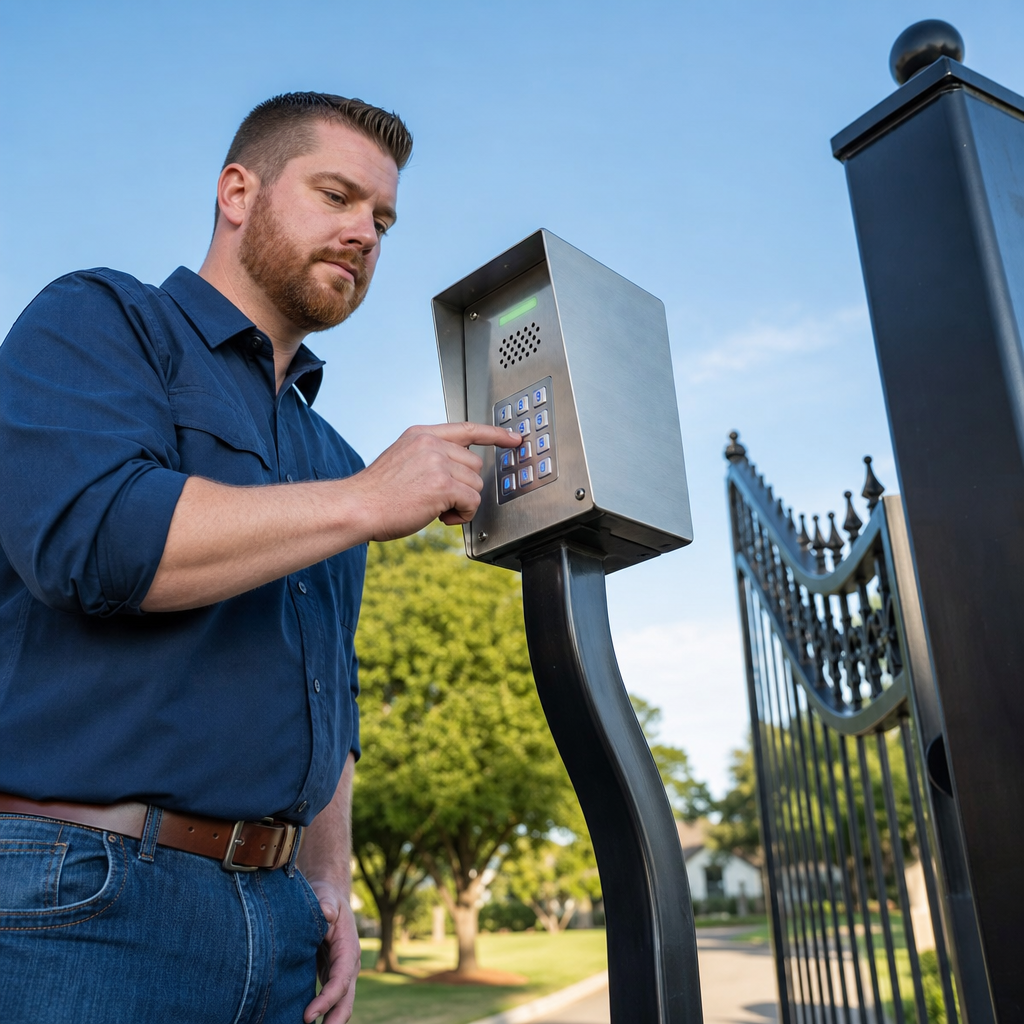
Power disruptions, electrical surges, or depleted backup batteries can disrupt the memory of an access keypad, preventing it from accepting valid codes.
Model-Specific Reset Precautions
Follow the exact manufacturer procedure. Depending on the model, resetting may require a master code, specific keys, or a reset button, and can erase stored PINs or disconnect the keypad from the operator.
Managing User PINs and Radio Frequency Pairing
Hardwired keypads pass a signal directly to the operator, whereas wireless keypads transmit an RF signal to a radio receiver. Keypad systems may use PINs to activate electric or magnetic locks, may record successful and unsuccessful attempts, and can use unique user codes and duress functions. If a wireless unit fails to communicate with the gate operator, consult the manufacturer manual to verify pairing and channel configuration.
Step 5: Check for Moisture Seepage and Enclosure Wear
Outdoor gate keypads are exposed to weather conditions. Open the keypad enclosure and examine the internal circuit board for moisture, mineral residue, or corrosion.
Detecting Weather Seal Failures
Inspect the perimeter gasket between the faceplate and back housing, a step Ironworks Gate Co. highlights during physical inspections. Cracked or misaligned gaskets can permit water intrusion, potentially leading to short circuits or intermittent faults. If moisture is present, dry the enclosure, replace damaged seals according to the manufacturer specifications, and ensure drainage openings remain unobstructed.
Step 6: Decide Between Repair and Replacement
Minor connection issues, depleted batteries, and worn gaskets can often be repaired. When circuit components sustain severe electrical surge damage, extensive corrosion, or obsolete parts cannot be sourced, replacing the unit may be recommended.
| Feature | Circuit and Wiring Repair | Direct Keypad Replacement | Connected System Upgrade |
|---|---|---|---|
| Scope of Work | Repair existing wire runs, replace batteries, clean terminals | Replace keypad with a compatible standalone model | Install cellular, Wi-Fi, or networked entry hardware |
| User Code Capacity | Retains existing system capacity | Model-dependent (consult manufacturer manual) | Model-dependent (managed via software or application) |
| Activity Logging | Dependent on existing hardware capabilities | Dependent on replacement model specifications | Digital logging capability (model-dependent) |
| Typical Application | Residential driveways with sound existing hardware | Standalone residential and light commercial gates | Commercial facilities, managed properties, and HOAs |
Evaluating Upgrade Options
If an existing keypad requires replacement, assess whether a standard standalone keypad meets property requirements or if an advanced connected access system is appropriate. Connected systems may allow managing temporary visitor codes, opening gates remotely, and reviewing access activity depending on the selected platform.
Access Control and Keypad Brands Serviced
Gate access manufacturers use distinct electrical specifications, communication protocols, and mounting hardware, notes Ironworks Gate Co. Refer to the applicable manufacturer manual for model-specific wiring diagrams and configuration instructions.
LiftMaster Keypad Systems
LiftMaster wired and wireless keypads communicate with compatible receivers and control boards. Troubleshooting involves verifying power supply lines or battery condition, checking antenna reception, and referencing the relevant LiftMaster manual for programming steps.
DoorKing (DKS) Access Systems
DoorKing keypad and telephone entry units are utilized across residential and commercial installations. Servicing DoorKing hardware involves checking power transformer output, relay operation, and programming parameters detailed in the corresponding DoorKing installation guide.
Linear and Viking Access Controls
Linear and Viking access hardware utilize specific contact arrangements and enclosure configurations. Field diagnosis focuses on checking relay outputs, tamper switches, wiring integrity, and programming procedures documented in the respective manufacturer manuals.
What Does Gate Keypad Repair Cost?
Gate keypad repair costs vary by keypad type, parts, wiring, labor, and possible controller reprogramming, and no reliable neutral price range is available. An on-site diagnostic assessment helps determine the required scope of work for a given installation.[4]
Cost Factors for Gate Keypad Repair
| Service Category | Primary Cost Determinants | Typical Scope of Work |
|---|---|---|
| Diagnostic Assessment | System complexity, travel requirements | Voltage testing, signal checks, component isolation |
| Wiring and Terminal Service | Conduit condition, run distance, accessibility | Repairing conductors, replacing lead wires, cleaning corroded terminals |
| Reprogramming and RF Setup | Code database size, receiver compatibility | System configuration, frequency pairing, setting user credentials |
| Hardware Replacement | Keypad model, standalone vs. networked configuration | Removing faulty unit, mounting replacement housing, terminating connections |
Professional Estimates and Diagnostics
Because installation conditions vary widely, an on-site evaluation provides the most accurate method to determine required parts and labor. Thorough diagnosis ensures service focuses specifically on the failed component, whether it involves connection maintenance or complete unit replacement.
Frequently Asked Questions About Gate Keypad Repair
How much does gate keypad repair cost?
Gate keypad repair costs vary by keypad type, parts, wiring, labor, and possible controller reprogramming, and no reliable neutral price range is available. Total expense depends on whether the solution involves basic wiring adjustment, reprogramming, or full hardware replacement.
Why is my gate keypad not responding or lighting up?
A keypad that fails to respond or illuminate generally indicates a power delivery issue. Check the power supply feeding the gate operator, inspect low-voltage fuses on the control board, test solar battery charge levels, or check internal batteries on wireless models as specified in the product manual.
Can a water-damaged gate keypad be repaired?
If water intrusion is addressed promptly, cleaning surface residue and allowing the internal components to dry completely may restore operation in some instances. However, if moisture has caused short circuits or internal board corrosion, replacement is typically necessary.
How do I reset my gate keypad?
Follow the exact manufacturer procedure. Depending on the model, resetting may require a master code, specific keys, or a reset button, and can erase stored PINs or disconnect the keypad from the operator.
Who repairs automated gate entry systems near me?
Because automated gate systems involve hazardous mains voltage, moving equipment, and safety systems, tasks beyond basic visual checks should be referred to qualified access control and automated gate service professionals such as Ironworks Gate Co.[2]
Sources
- GAO-02-687T National Preparedness: Technologies to Secure Federal Buildings – gao.gov
- State of the Market Access Control: Where Challenge … – sdmmag.com (2026)
- Regional Insights – grandviewresearch.com (2030)
- Electronic Access Control Systems Market 2026 – strategicmarketresearch.com (2026)
- State of the Market: Access Control | 2021-04-05 | SDM Magazine – sdmmag.com (2021)
Related reading: Top Rated Gate Repair Companies Cleburne | Call Now-10% Off | On-Site in 60 Minutes | Free Estimate
Related reading: Automatic Gate Repair Cleburne Tx – Call Now-10% Off – On-Site in 60 Minutes – Free Estimate
Related reading: Automatic Gate Repair Cost – Call Now-10% Off – On-Site in 60 Minutes – Free Estimate
Frequently Asked Questions
Why does my gate keypad work intermittently during hot or rainy weather?
Intense heat can cause aging membrane switches to stick or expand, while rain and humidity easily penetrate degraded perimeter gaskets to cause temporary electrical shorts. Ironworks Gate Co. inspects weatherproofing seals and tests thermal circuit stability to prevent weather-related driveway lockouts across Johnson County.
Can I upgrade my old driveway keypad to a smart cellular model without replacing the gate operator?
Yes, most cellular, Wi-Fi, and networked keypad systems connect directly to existing gate operator control boards using standard low-voltage trigger relays. Ironworks Gate Co. assesses your current control board to integrate modern smartphone-managed access hardware without requiring full motor replacement.
How long does a professional gate keypad diagnostic and repair service take?
Most residential keypad diagnostics and repairs are completed within one to two hours once wiring continuity and power delivery are evaluated. Ironworks Gate Co. provides same-day repair appointments and on-site assessments in Cleburne to quickly resolve entry hardware malfunctions.
About the author
 |
Marcus Henderson Marcus Henderson is an access control specialist with over 10 years of experience in the automated gate industry. He previously worked as a field technician, diagnosing and repairing complex gate systems across North Texas, and now consults on residential and commercial security solutions. Marcus holds an associate degree in electronics technology from Tarrant County College. |
Gate not opening, off track, or opener dead?
We’re available now - call for a fast, free estimate.
Call Now - Free Estimate